
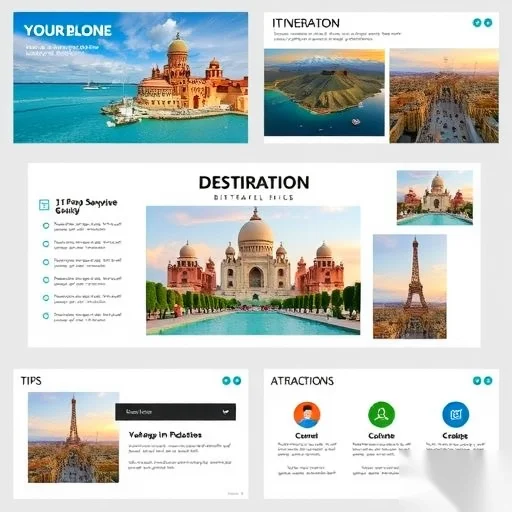
Creating a travel guide PPT can be overwhelming, especially if you’re not familiar with the process. The key is to focus on clarity, structure, and visual appeal to make your presentation both informative and engaging. Whether you’re planning a trip for yourself or creating a guide for others, a well-designed PPT can help you share your travel experiences effectively. The solution? Follow a simple, step-by-step approach that covers everything from planning your content to designing your slides.
When making a travel guide PPT, it’s important to start with a clear purpose. Are you sharing tips for a specific destination, showcasing your travel experiences, or providing a practical itinerary? Knowing your audience and the purpose of your presentation will help you organize your content more effectively. For example, if you’re presenting to friends, you might focus on personal stories and recommendations. If you’re creating a guide for travelers, you should include practical information like transportation, accommodation, and local attractions.
Design plays a crucial role in making your PPT visually appealing. A well-organized layout with consistent fonts, colors, and images can make your guide more engaging and easier to follow. Avoid cluttering your slides with too much text; instead, use bullet points, icons, and images to break up information. Choose a color scheme that reflects the destination you’re discussing—blue and green for a beach vacation, red and gold for a cultural city tour, or neutral tones for a minimalist style.
Including visuals is one of the best ways to enhance your travel guide PPT. High-quality images of the destination, landmarks, and local culture can make your presentation more immersive. Use relevant photos to support your points and create a cohesive theme. You can find free or paid stock photos from reputable sources like Unsplash, Pexels, or Shutterstock. Be sure to credit the photographers if required and avoid using images that are too generic or low resolution.
A well-structured PPT should follow a logical flow. Start with an introduction that sets the scene, then move on to key sections like itinerary, accommodations, must-see attractions, and tips for travelers. Each slide should have a clear purpose and transition smoothly to the next. Use titles and headings to guide your audience through the content, and keep your language simple and conversational. Avoid using jargon or overly technical terms unless your audience is familiar with them.
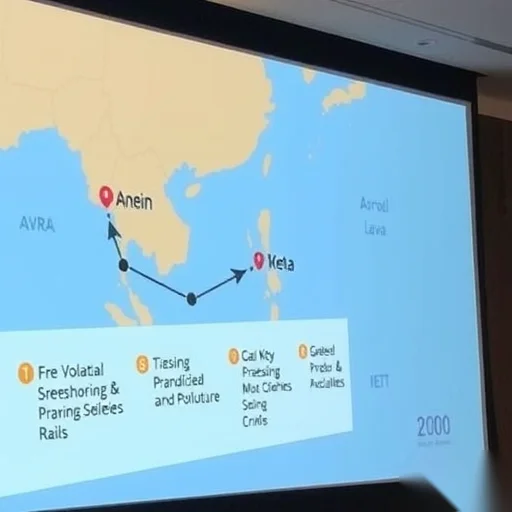
To make your travel guide PPT more interactive, consider adding elements like maps, timelines, or infographics. These can help your audience visualize the journey and understand the information better. For example, a map showing the route you took or a timeline of your daily activities can make your presentation more dynamic. You can also include short videos or audio clips to add a personal touch and make your guide more engaging.
Let’s look at a real-world example to see how this works. Imagine you’re creating a travel guide for a trip to Kyoto, Japan. Your PPT might start with a welcome slide that includes a beautiful image of Kyoto’s famous temples. Next, you could outline your itinerary, showing the days you spent in different areas like the historic Gion district, the serene Arashiyama Bamboo Grove, and the iconic Fushimi Inari Shrine. You might also include tips on local cuisine, transportation, and cultural etiquette. Finally, you could end with a slide summarizing your favorite experiences and recommendations for future travelers.
In addition to the content and design, don’t forget to practice your presentation. Rehearse your slides to ensure you can deliver the information confidently and smoothly. You might also consider adding notes or speaker prompts to help you stay on track during your presentation. Testing your PPT on different devices or screens can also help you identify any formatting issues or visual inconsistencies.



I followed your steps and made a stunning travel guide for my friends! The tips on using visuals and structure were so helpful. Thank you!
I especially liked the part about choosing the right color scheme. It made my presentation look more professional and aligned with the destination.
The example with Kyoto was perfect. I used it as a template for my own guide and got great feedback from my audience.