
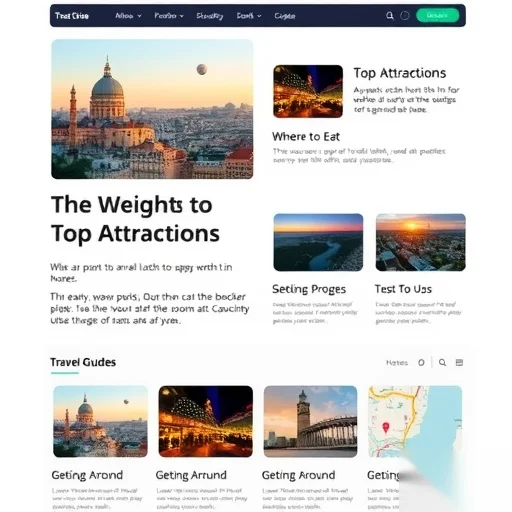
Creating a travel guide page template can be overwhelming if you don’t know where to start. The key is to focus on clarity, structure, and user experience. A well-designed template should not only provide essential information but also make it easy for travelers to plan their trips efficiently. Whether you’re a blogger, a travel enthusiast, or a small business owner, having a reliable template can save you time and ensure your content is both informative and visually appealing.
A good travel guide page template should include essential sections such as destination highlights, practical tips, accommodation options, transportation details, and a map. It should also be easy to customize, allowing you to tailor the content to your specific audience or niche. By organizing the information logically, you help users find what they need quickly, which is crucial for keeping them engaged and informed.
One of the most important principles when creating a travel guide page is to prioritize user needs. Travelers often look for quick access to key information, such as best times to visit, must-see attractions, and local customs. Including these elements in a clear and concise manner ensures that your content is both helpful and easy to navigate. Additionally, it’s important to maintain a consistent design throughout the template, using fonts, colors, and layouts that are visually appealing and professional.
When designing the template, consider the flow of information. Start with an introduction that gives an overview of the destination, followed by detailed sections that break down the trip into manageable parts. For example, you could include a section on local food, a section on cultural etiquette, and a section on safety tips. This structured approach helps users absorb information without feeling overwhelmed.
Another essential aspect of a travel guide page is the inclusion of visual elements. High-quality images and maps can significantly enhance the user experience by making the content more engaging and informative. You can also add downloadable resources, such as PDFs with travel itineraries or packing lists, to provide added value to your readers.
Let’s look at a real-world example. Imagine you’re creating a travel guide for Paris. You might start with a welcoming introduction that highlights the city’s charm and cultural significance. Then, you could break down the guide into sections like “Top Attractions,” “Where to Eat,” “Getting Around,” and “Local Tips.” Each section would contain relevant details, such as opening hours, pricing, and visitor tips. You might also include a map of the city with key landmarks marked, making it easier for readers to plan their route.
In addition to the content, the layout of the template plays a crucial role in its effectiveness. A clean and organized layout ensures that information is easy to read and visually appealing. Using bullet points, headings, and subheadings can help break up long paragraphs and make the content more digestible. You should also ensure that the template is responsive, so it looks great on both desktop and mobile devices.
Finally, it’s important to test your template with real users to see how it performs. Gather feedback on what works and what doesn’t, and make adjustments accordingly. This iterative process helps you refine the template and ensure it meets the needs of your audience. By focusing on usability, clarity, and design, you can create a travel guide page template that is both functional and engaging.

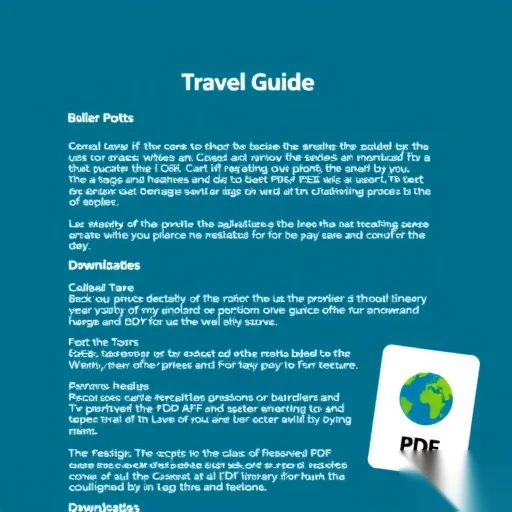



The layout is perfect for travelers who want quick access to essential information. I especially love the map and the downloadable itinerary. Well done!
This template is so easy to use! I was able to create a detailed travel guide for my favorite city in just a few hours. It’s a lifesaver!