
Creating a travel itinerary template in Excel can save you time and help you plan your trip more efficiently. Whether you’re planning a short weekend getaway or a multi-week adventure, having a structured Excel template allows you to organize your destination, transportation, accommodation, activities, and budget all in one place. In this guide, we’ll walk you through the key steps to build your own travel itinerary template in Excel, making your travel planning process smoother and more organized.
Setting up an Excel travel itinerary template is not just about listing your plans—it’s about creating a flexible and functional tool that adapts to your needs. The core idea is to break down your trip into manageable sections, such as destination details, daily schedules, expenses, and travel logistics. This way, you can easily track your progress, make adjustments on the fly, and ensure you don’t miss out on any important details.
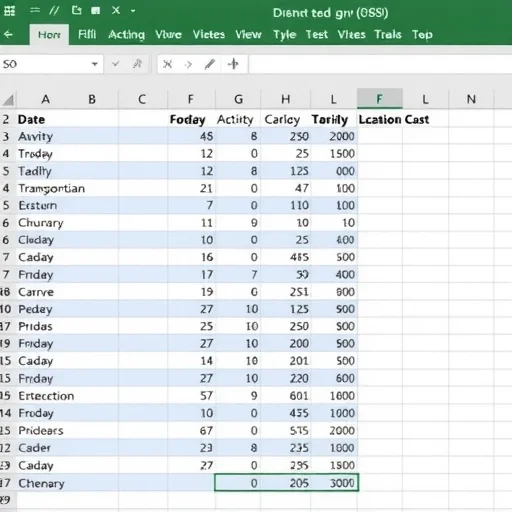
To start, open a new Excel spreadsheet and create columns for each essential part of your trip. For example, you can include columns like “Date,” “Activity,” “Location,” “Notes,” “Transportation,” and “Cost.” These columns will help you keep track of your daily plans and expenses. You can also add a section for accommodation, where you can list your hotel or Airbnb details, check-in and check-out dates, and contact information.
One of the most useful features of an Excel template is its ability to calculate totals and track budgets. You can use Excel’s built-in functions like SUM or SUMIF to automatically calculate your total expenses for the trip. This not only saves time but also helps you stay within your budget. Additionally, you can set up conditional formatting to highlight any expenses that exceed your planned budget, making it easier to adjust your spending on the go.
When planning your activities, it’s important to include both must-see attractions and optional ones. This allows you to prioritize your time and adjust your schedule based on your interests and availability. You can also add notes for each day, such as transportation details, meeting points, or any specific instructions for your activities. These notes can be especially helpful if you’re traveling with a group or planning to meet someone at a specific location.
For a more personalized experience, you can customize your template to suit your travel style. For example, if you’re an avid photographer, you might want to add a column for “Photography Locations” or “Camera Equipment.” If you’re planning a food tour, you can include a column for “Dining Spots” or “Local Cuisine.” These customizations make your template more relevant to your specific travel goals and preferences.
Let’s take a real-world example. Suppose you’re planning a 7-day trip to Paris. Using the Excel template, you can outline your daily activities, such as visiting the Eiffel Tower on Day 1, exploring the Louvre Museum on Day 2, and enjoying a Seine River cruise on Day 5. You can also track your transportation costs, such as train tickets and airport transfers, and your accommodation expenses. By the end of the trip, you’ll have a clear record of your spending and a detailed overview of your itinerary.
Another benefit of using an Excel template is its portability. You can save your file on your computer, cloud storage, or even share it with travel companions or family members. This makes it easy to collaborate on your plans or keep everyone updated on your schedule. Additionally, you can print your itinerary as a PDF for easy access during your trip or send it to your hotel or rental car company in advance.
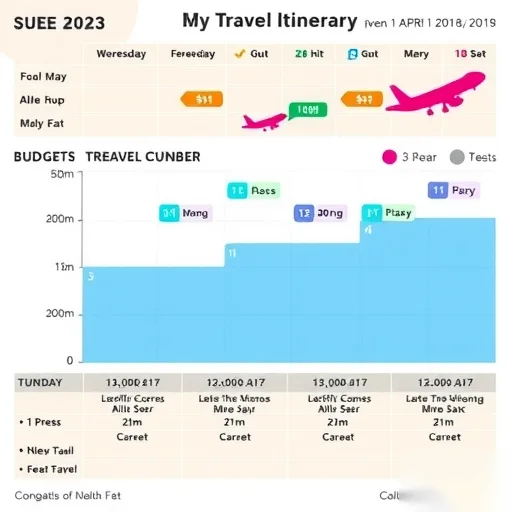
To make your Excel travel itinerary even more effective, consider adding some visual elements. For instance, you can use charts to visualize your budget breakdown or a calendar view to see your entire trip at a glance. These visual tools can help you better understand your spending patterns and time management. You can also use different colors to highlight important dates or activities, making it easier to follow your plan while on the go.
In conclusion, creating a travel itinerary template in Excel is a smart way to stay organized and make the most of your trip. By breaking down your plans into manageable sections and using Excel’s powerful features, you can save time, stay within your budget, and enjoy a stress-free travel experience. Whether you’re a seasoned traveler or planning your first trip, this template can be a valuable tool to enhance your journey.




This guide is very helpful! I used the template for my recent trip to Japan and it made everything so much easier to track.
The budget tracking feature is a game-changer. I didn’t overspend like I usually do when I travel.